Sandboxing an agent is becoming the go-to tool in the quest to unbounded swe productivity. Sandboxing an agent doesn’t just prevent mishaps it could cause accidentally to your system, it is also a protective layer for the dreaded problem of prompt injection. For local development, there are two options I’ve explored for sandboxing: one is using native sandboxing techniques that ship with the OS, and the other is Docker. My preferred way is Docker, which gives you an entire isolated filesystem rather than a sandbox with layers of programmatic protection. My gripe with OS-level sandboxes is that you have to manually set up all the directories and commands your sandbox can access, and sometimes that is very restrictive. For example, the native macOS sandbox will not let you have visibility into underlying processes.
With Docker containers, I’ll expand on three paradigms that I see it evolving in.
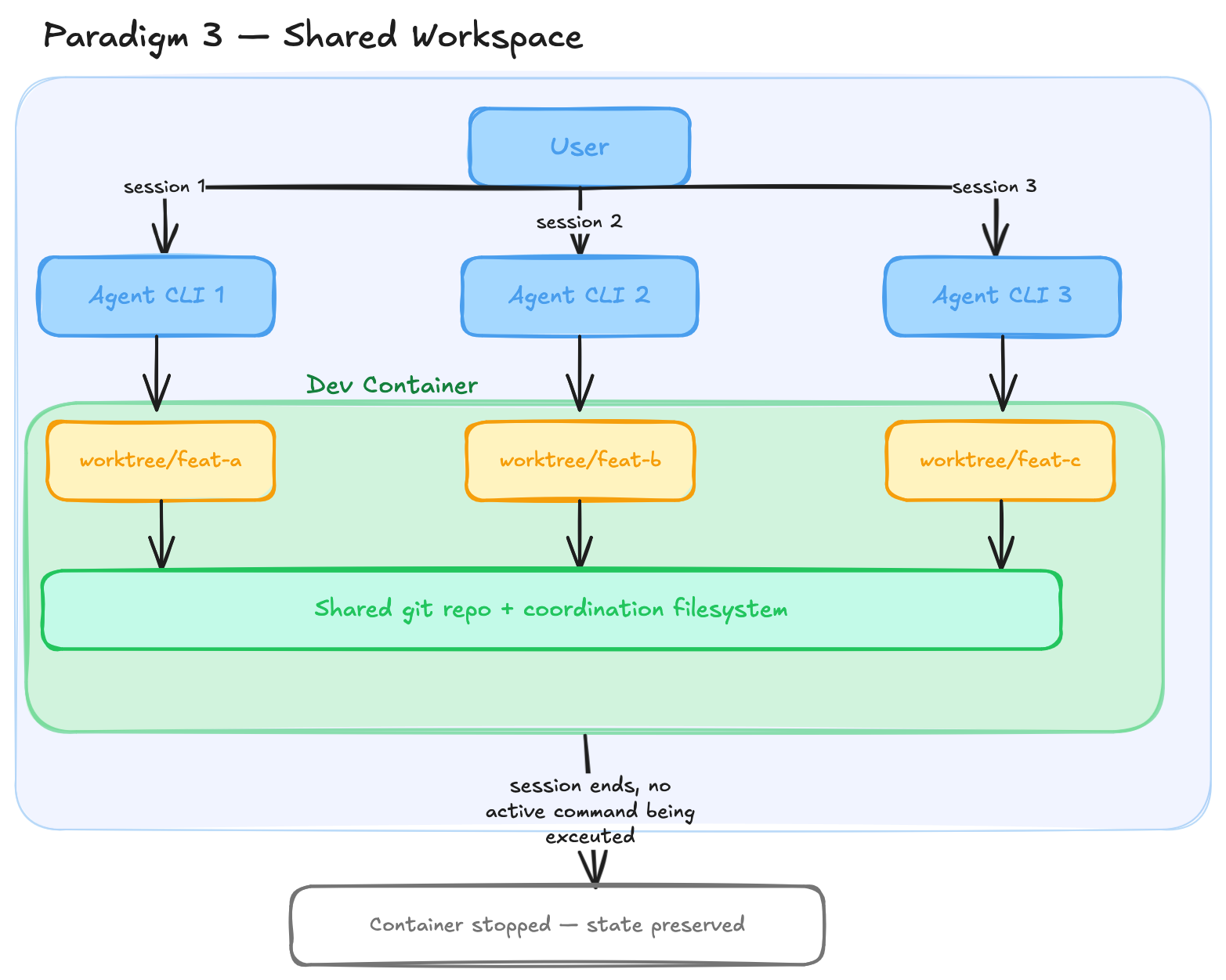
Paradigm 1 - ephemeral
Paradigm one involves starting the agent CLI inside a freshly created Docker container. The container uses a generic base image that isn’t project-specific, so you have to set up the workspace when starting out. You start an interactive environment, talk to the agent, build some stuff, and when the task is done you exit, and the Docker container is destroyed.
This is neat and gives you an isolated environment, but for every session you start from scratch, setting up the environment each time. You could use a custom Docker image to persist some workspace requirements, but what if the agent wants to install something mid-session? Do you directly modify the running container, or do you mount volumes from your host? That remains the problem.
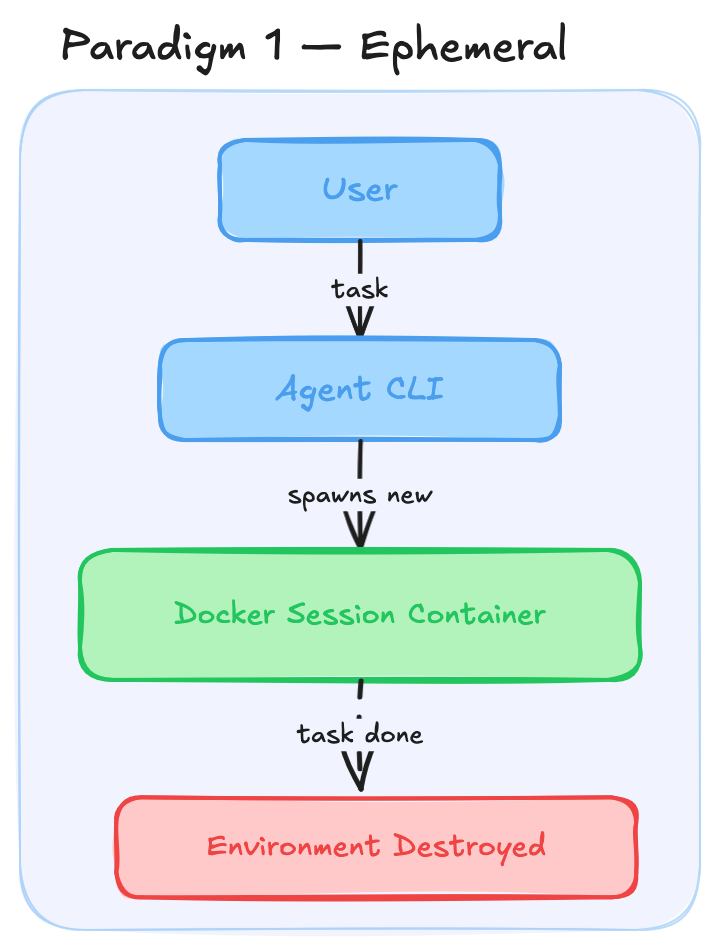
Paradigm 2 - persistent dev container style workspace
For paradigm two, look at a good idea that already exists: dev containers in VS Code. When you develop inside a dev container, the container isn’t destroyed once you exit the editing session. It persists in a stopped state and can be resumed when you start developing again. The workspace you establish remains intact with all your changes. The next evolution from paradigm one, then, is to use persistent dev containers so you don’t have to recreate workspaces again and again. Something similar is being done with claude agent teams right now.
In this paradigm, a single agent works fine. But what if you want multiple agents simultaneously working in a shared workspace? You could spin up multiple Docker containers, one per agent, giving each the isolation it needs. But we have to keep in mind that future workflows could require agents to communicate with each other. To facilitate that, you could use a shared mount and some sort of file-based communication. Currently though, I’m in favor of using a single workspace container with git worktrees per agent.
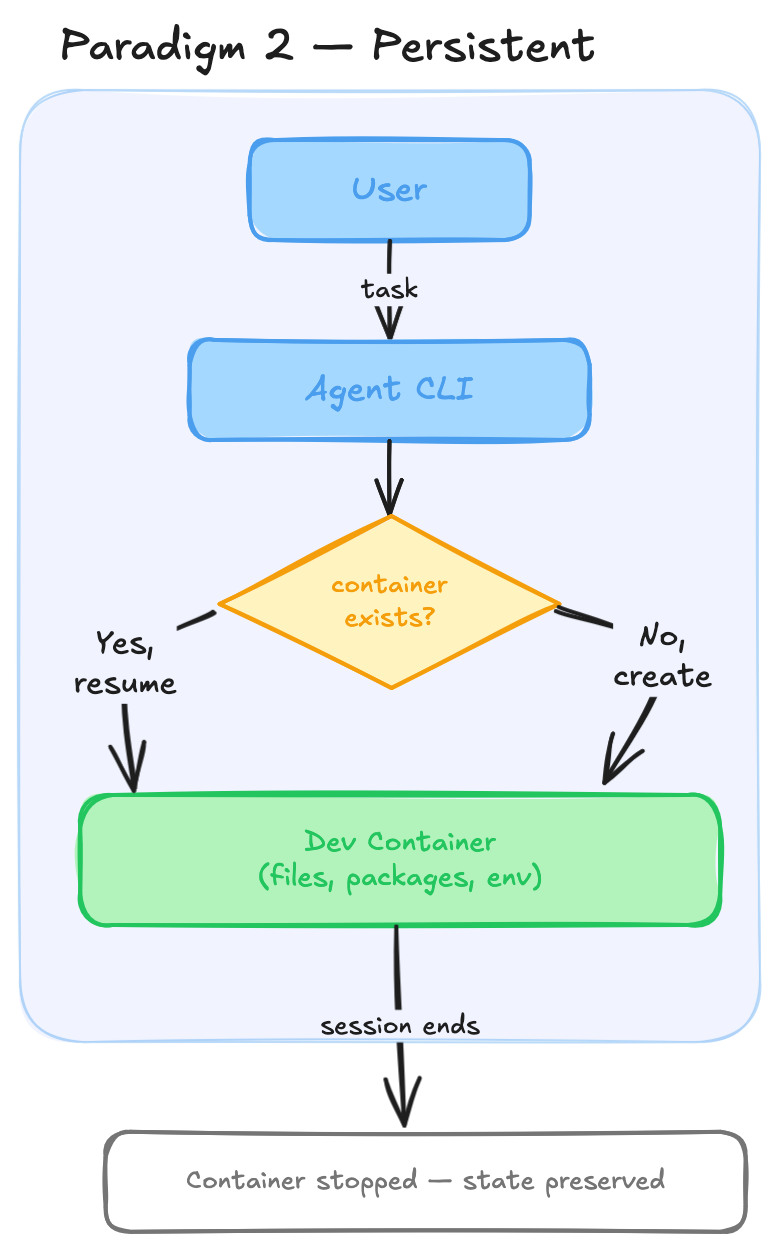
Paradigm 3: shared workspace - multiple git work trees
My main interest in my daily workflow is to run a loop like Ralph. I want to spawn multiple agents in different terminal sessions, all with access to the same workspace. I also want to interact with the agents non-interactively so I can run them in a do-while loop.
To facilitate this, I envision an architecture where a persistent dev container is shared by multiple agent sessions, each working in their own worktrees. There’s a tricky coordination part here: the toolchain connecting to the dev container must not shut down the container while another agent is still working. That part is still to be figured out.
Currently I’m using cco, which provides very intuitive sandboxing over the Claude Code CLI. I’m also in touch with the maintainer to see how this can be brought about.